# Mac Installation Process
After selecting to download the mac version of the dope.endpoint a ZIP fie will be downloaded to your device.
The ZIP file will be called **dope\_security*****\_mac\_1.0.XXXX.zip***
Extract the ZIP file, it will contain the following three files:
* **dope\_security\_1.0.XXXX.pkg** — The dope.endpoint installer.
* **dope.security.root.crt** — The dope.security Root CA, required for SSL inspection.
* **agent\_parameters.json** — Tenant-specific data required for the installation process.
{% hint style="warning" %}
All three files must be in the same directory or the installation will FAIL.
{% endhint %}
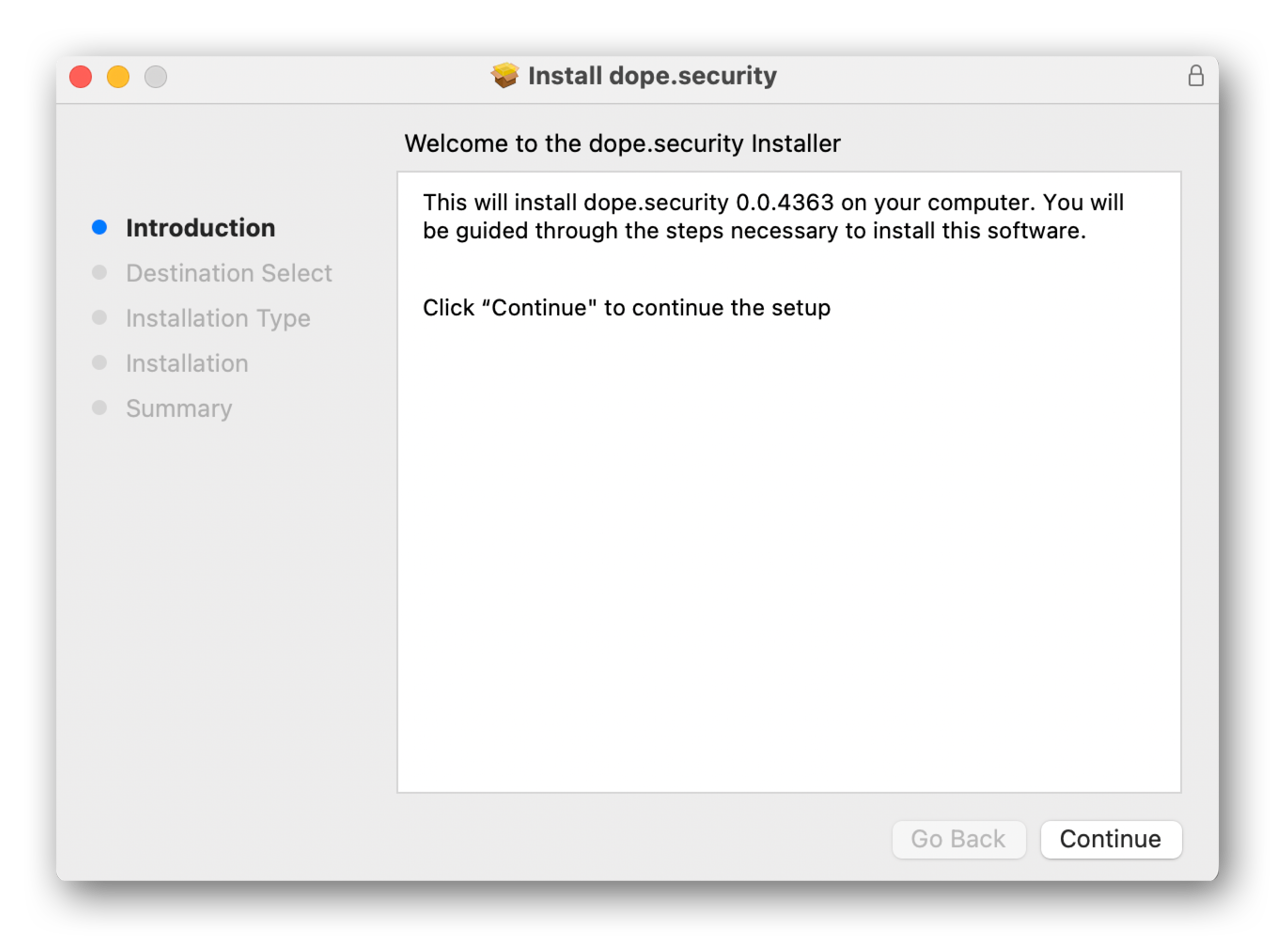
To install the dope.endpoint, double click on the PKG file from within the ZIP file. This will launch the Installer UI. From here select **Continue**.
A prompt will appear asking to allow the installation of the dope.endpoint. Provide the required details to proceed.

For the dope.endpoint to work it needs to install the dope.security Root CA. Provide the required details to proceed.

The system extension prompt is to allow the dope.security application to run. There’s a prompt to open the macOS security and preferences settings.

Open the security preferences dialog box, provide the required details and allow the dope.security application to run.

The final prompt is to allow the dope.security application monitor network activity. Select **Allow** to finalize installation.

Once these steps are complete a dope.security icon can be seen in the macOS menubar. This shows the installation was successful.
For more details on the macOS installation process see [mac-installer-old](https://inflight.dope.security/dope.endpoint/mac-installer-old "mention").
{% hint style="info" %}
All of the prompts above will not appear an a device where a MDM profile has been installed. For more details see [installing-using-mdm-on-mac](https://inflight.dope.security/dope.endpoint/installing-using-mdm-on-mac "mention").
{% endhint %}
## Go to Console
When you’re ready, proceed to the console where you will configure your web security policy for your users.
 can be seen in the macOS menubar. This shows the installation was successful.
For more details on the macOS installation process see [mac-installer-old](https://inflight.dope.security/dope.endpoint/mac-installer-old "mention").
{% hint style="info" %}
All of the prompts above will not appear an a device where a MDM profile has been installed. For more details see [installing-using-mdm-on-mac](https://inflight.dope.security/dope.endpoint/installing-using-mdm-on-mac "mention").
{% endhint %}
## Go to Console
can be seen in the macOS menubar. This shows the installation was successful.
For more details on the macOS installation process see [mac-installer-old](https://inflight.dope.security/dope.endpoint/mac-installer-old "mention").
{% hint style="info" %}
All of the prompts above will not appear an a device where a MDM profile has been installed. For more details see [installing-using-mdm-on-mac](https://inflight.dope.security/dope.endpoint/installing-using-mdm-on-mac "mention").
{% endhint %}
## Go to Console